
Puzzle - Where orgs click together
Overview
Problem
Through organizing network events for the Motion Design community, I witnessed firsthand the challenges non-profit event organisers face. Limited resources, volunteer dependence, and after-hours work create significant barriers to planning community-building events.
Solution
Streamlined collaboration by creating a platform that connects non-profit event organisers with venues and organisations that share their values but bring different skills to the table. It cuts down on search time and makes finding the right collaborators feel natural and straightforward.
Profile showcase focused on values. Organisations present themselves with emphasis on what matters most: their mission, interests and approach to community building.
Smart search for complementary partnerships. Find like-minded collaborators whose skills complement rather than compete, filtering by shared interests and non-overlapping expertise.
Knowledge hub that builds trust. Share stores, playbooks and lessons learned from past events. This showcases expertise while lowering the barrier for others to tackle similar challenges.
Details
Role: Sole designer
Timeframe: 120 hours
My responsibilities: End-to-end process. UX research, strategy, UI design, branding
Tools: Figma, FigJam, Figma Make, Claude, NotebookLM
View prototype in Figma ↗
Research
I wanted to understand the key challenges non-profit event organisers face and what drives them to keep organising despite those obstacles.
User interviews with event organisers to uncover common pain points, unmet needs, personal motivations, and existing workflows.
Competitive analysis to map the current tool landscape. Are organisers relying on general-purpose tools? Would they benefit from something more specialized? What can we learn from products with similar goals?
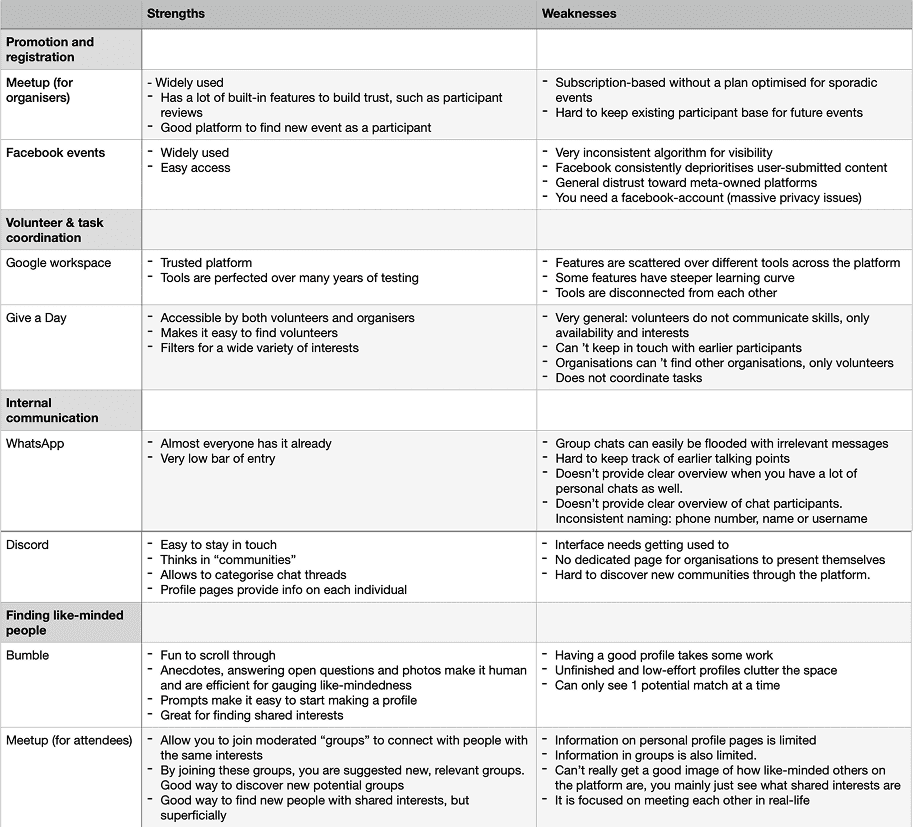
Competitive analysis
I focused on free or low-cost, web-based tools that require minimal technical skill. Since organisers rely on volunteers rather than professionals, accessibility and ease of entry were key criteria.
Opportunities
Organisers have to juggle tools from all 4 categories. They might benefit from a tailored solution that integrates the handiest features.
None of the tools help finding volunteers with specific skills.
Volunteer recruitment typically requires full commitment to the entire process. Maybe there's an opportunity for lighter engagement: volunteers who contribute a few hours, or serve as advisors rather than active participants?
No platform helps in renting equipment or finding a venue.
Interviews revealed that non-profit organisers and volunteers interact casually rather than formally. There might be an opportunity to learn more from platforms like Bumble, where connections feel personal and approachable, rather than LinkedIn's professional networking model.
User interviews
I conducted 5 in-depth interviews (45-60 minutes each) with non-profit event organisers across different experience levels and event types.
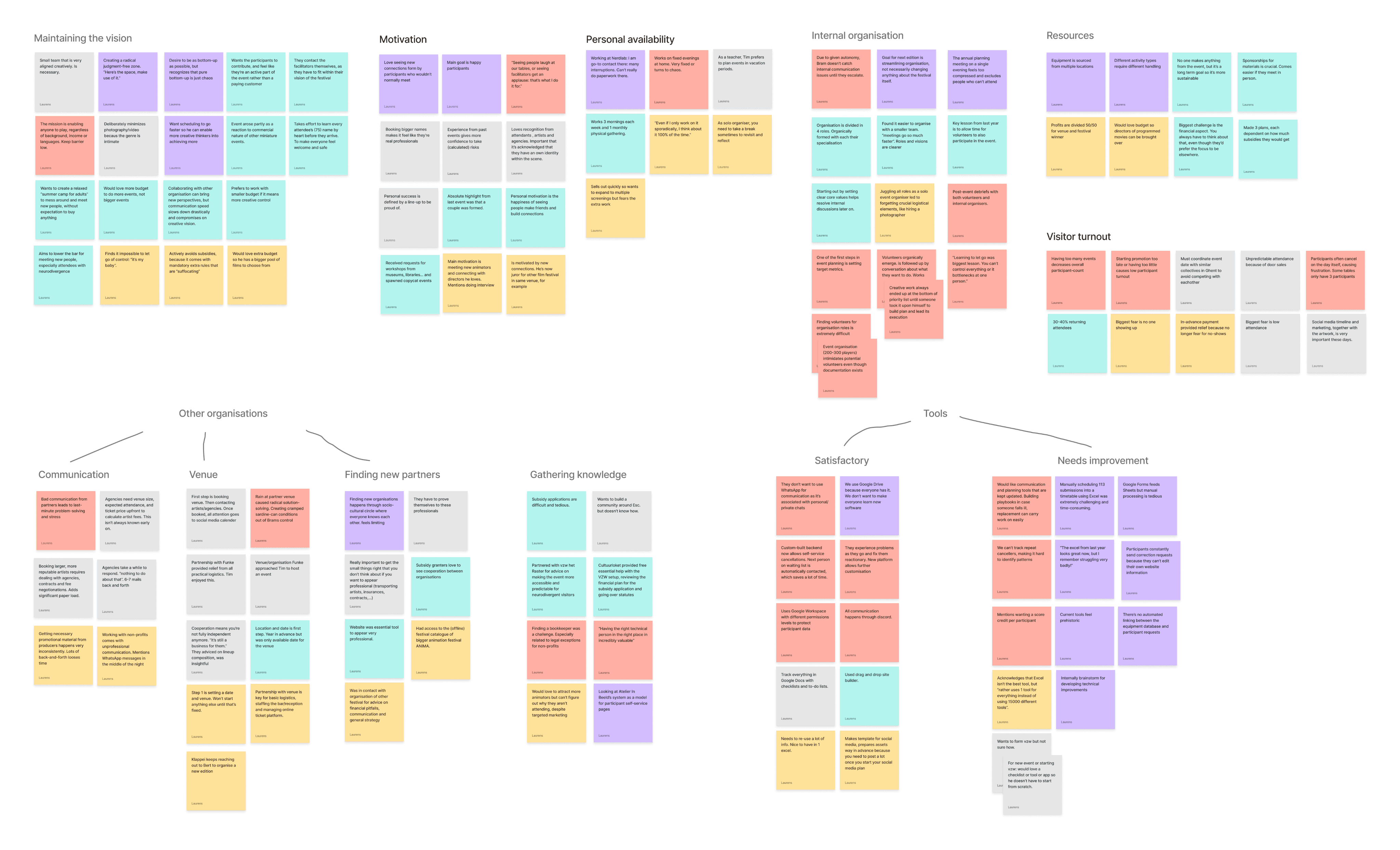
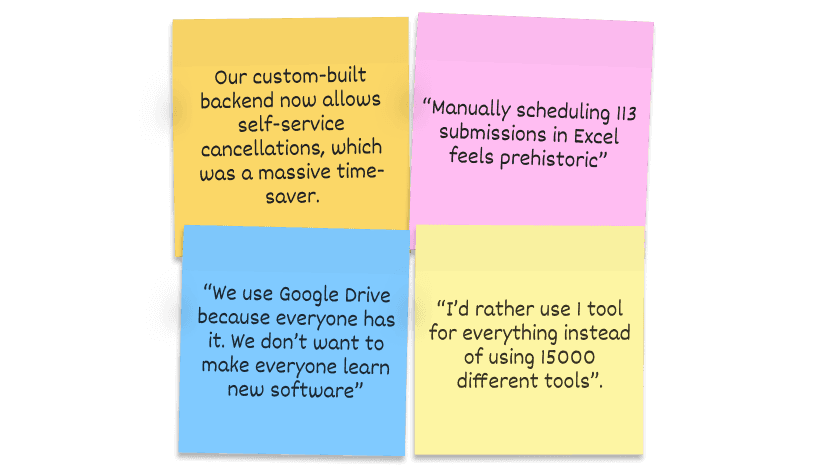
There’s no desire for new digital product for entire staff, and expressed desire for custom products are very specific.
Organisers stick with Google Workspace. It's familiar, web-based, and doesn't require training volunteers on new software. They want automation tools for specific, workflow-unique needs.
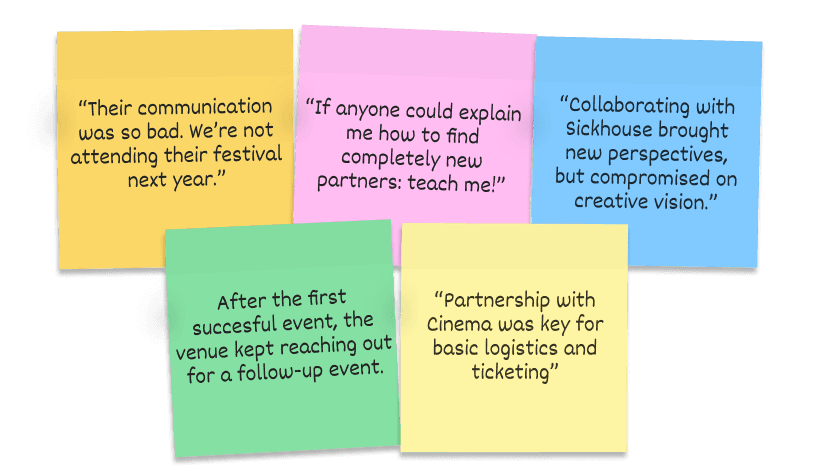
Cross-organisation collaboration is most fruitful with clear, non-overlapping role division.
Protecting the event's vision is critical to organisers' motivation but can be compromised while collaborating. Partnering with established venues handles burdensome logistics like bar management and ticketing. When both sides gain value, venues proactively return for future editions, reducing acquisition effort. Smaller, aligned teams consistently make faster decisions and execute more effectively than larger groups with diffuse responsibilities.
Tasks get de-prioritised if they are started from scratch.
Volunteers don't want to take on large responsibilities. At the same time, there's often no budget to hire specialised profiles. Perhaps we can help break down larger tasks into smaller ones, or create something with updatable playbooks.
Personas
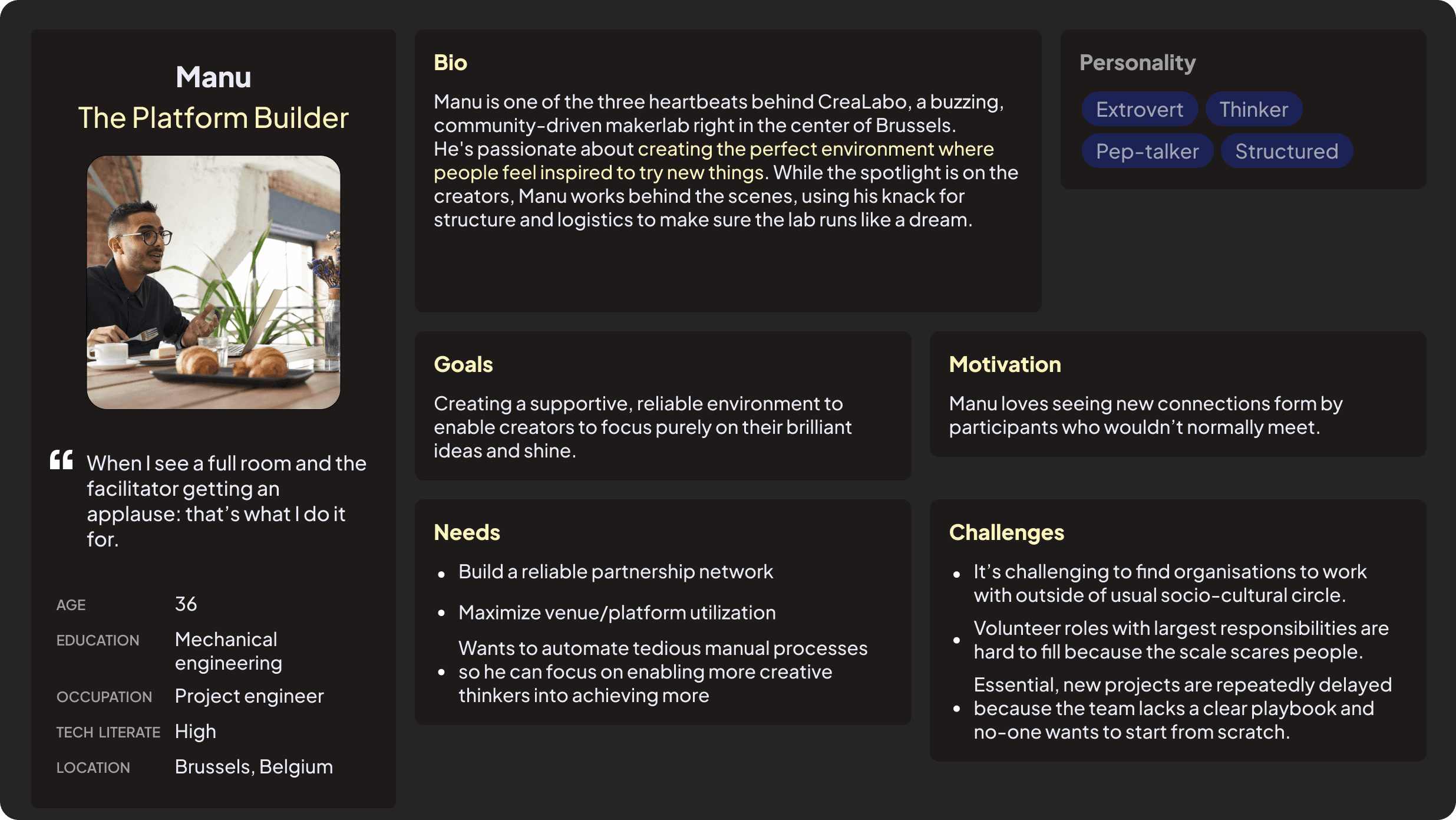
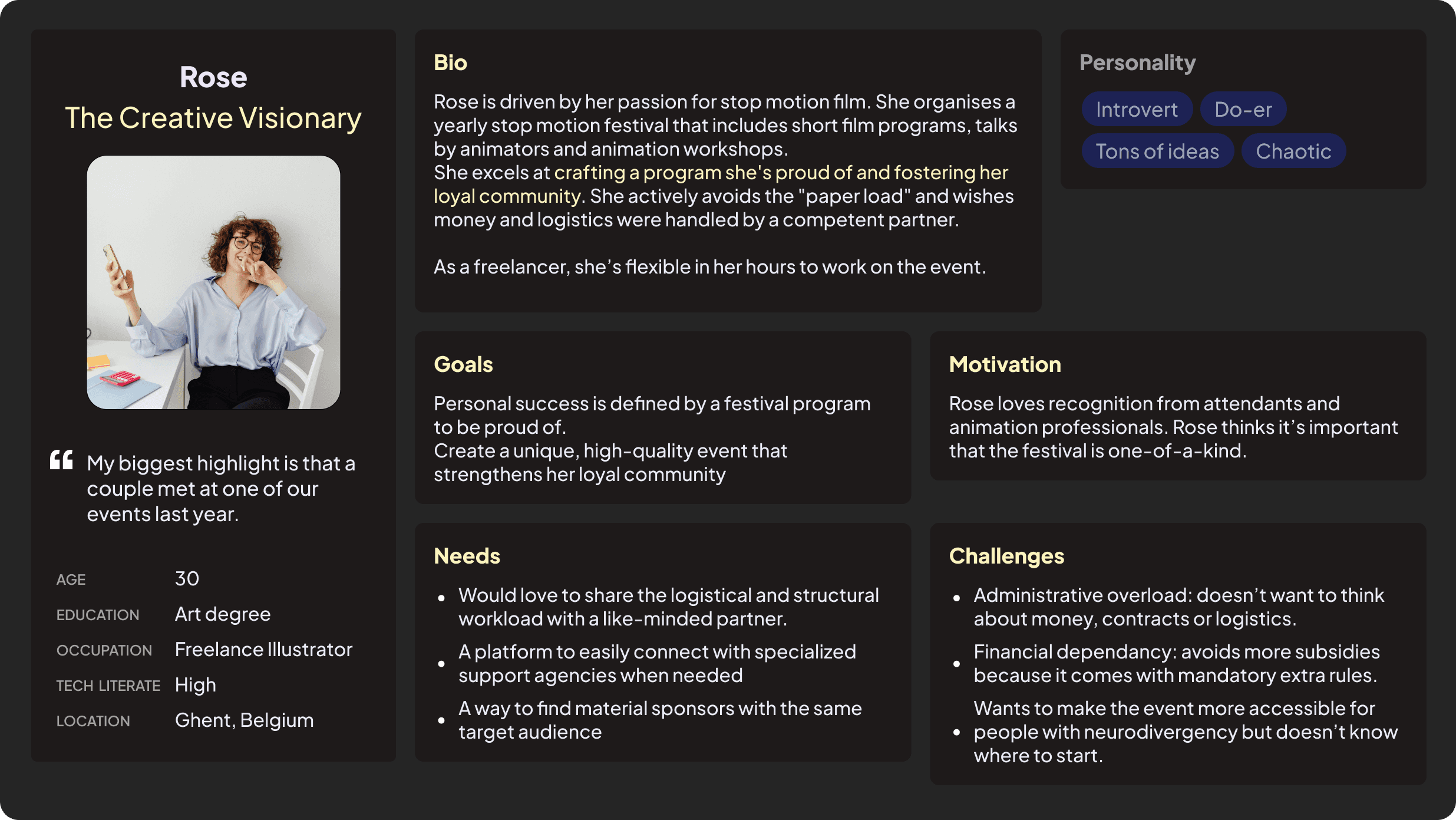
Two distinct archetypes emerged from the interviews. You’ve got organisers that want to build a platform for people (includes venue operators), and those who focus on creative direction, curation and community experience.
Identified user problems
The research revealed two key opportunities worth exploring.
1 Connecting complementary collaborators Explore ways to help non-profit event organisers find like-minded venues and partners whose skills complement rather than compete with their own.
2 Sharing proven playbooks Explore ways to help organisers access and share event playbooks, since starting from scratch is the main reason tasks get deprioritized.
Ideation
Feature roadmap
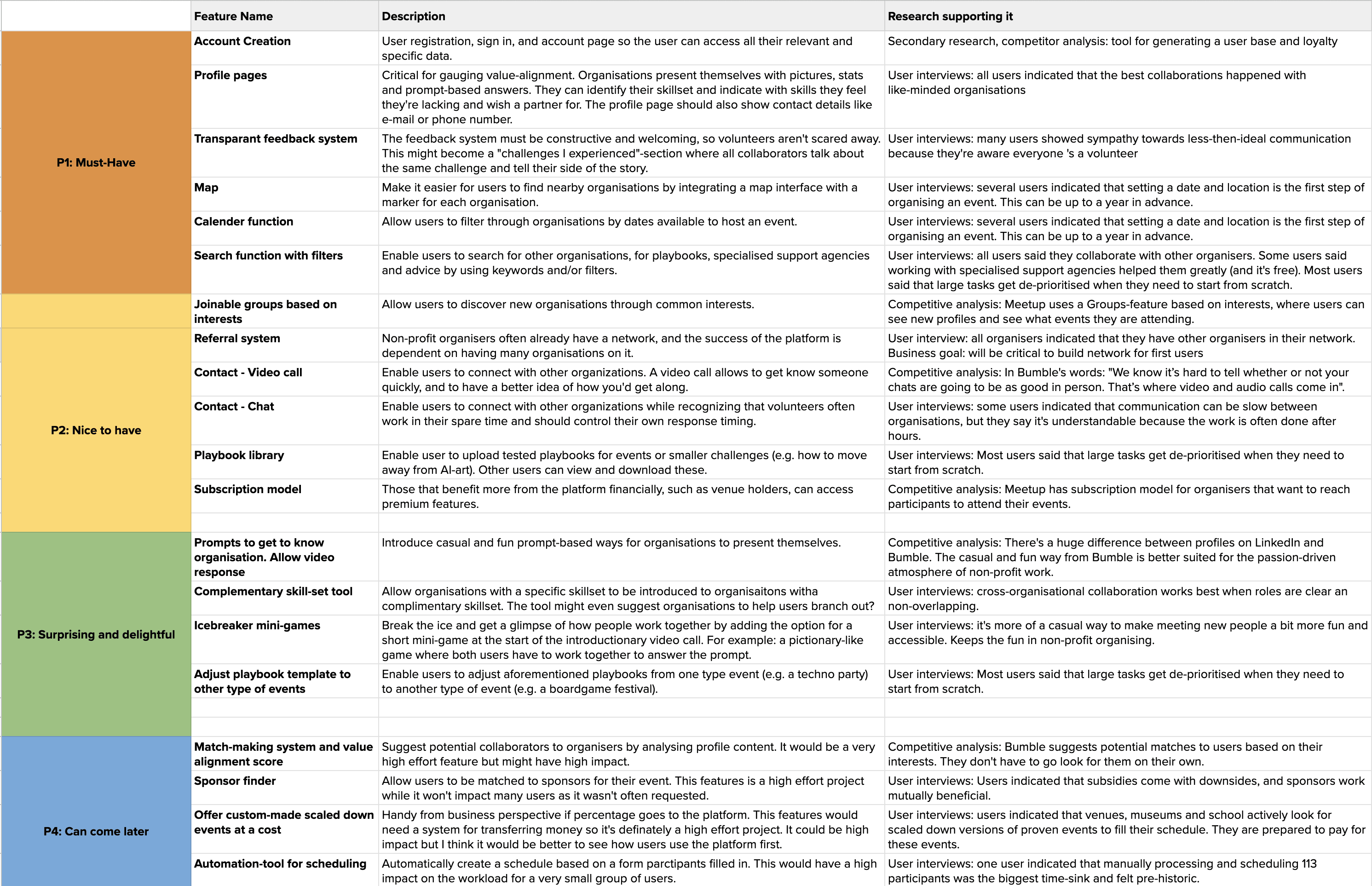
Starting from the viewpoint of the persona’s, I compiled a list of desired features. They’re listed by priority in the feature roadmap.
Proposed MVP
A platform for finding like-minded organisers with complementary skillsets. It also serves as a knowledge hub where users can share stories, playbooks, and lessons learned from their organising experiences.
Sitemap and user flows
The initial idea was to have a separate playbook library where organisations could share past experiences, event pages with related calls for help to serve as portfolio, and groups based on shared interests where they could connect with like-minded organisations.
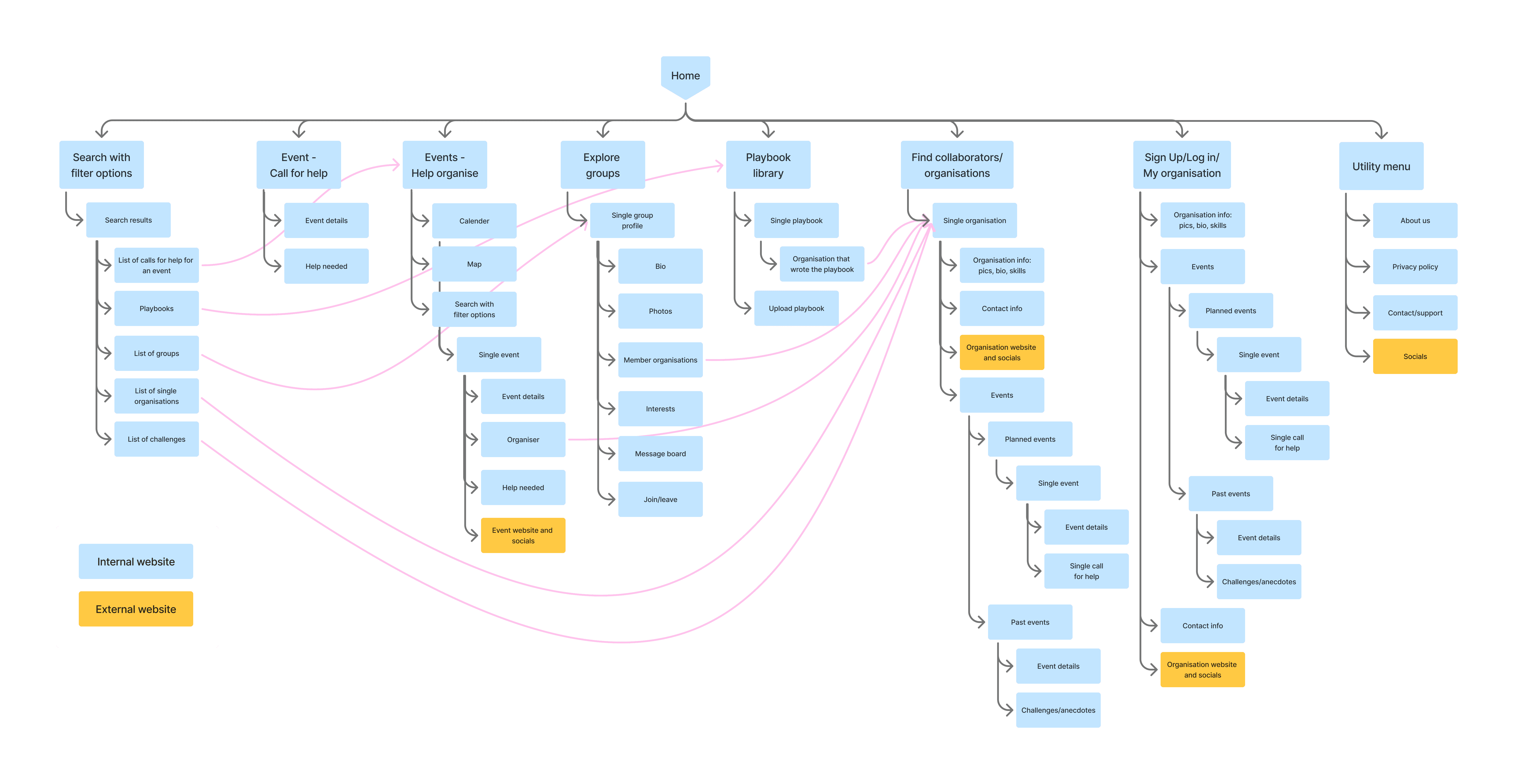
But mapping user flows revealed a consistent endpoint: contacting another organisation. Events, calls for help, groups, and the playbook library all served the same purpose: helping organisations build credibility through sharing experiences to encourage contact. These three features were consolidated into one: stories.

User flow 01: Rose organises a stop-motion film festival and is looking for a venue with a ticketing system and a bar with volunteers to lighten logistical load.
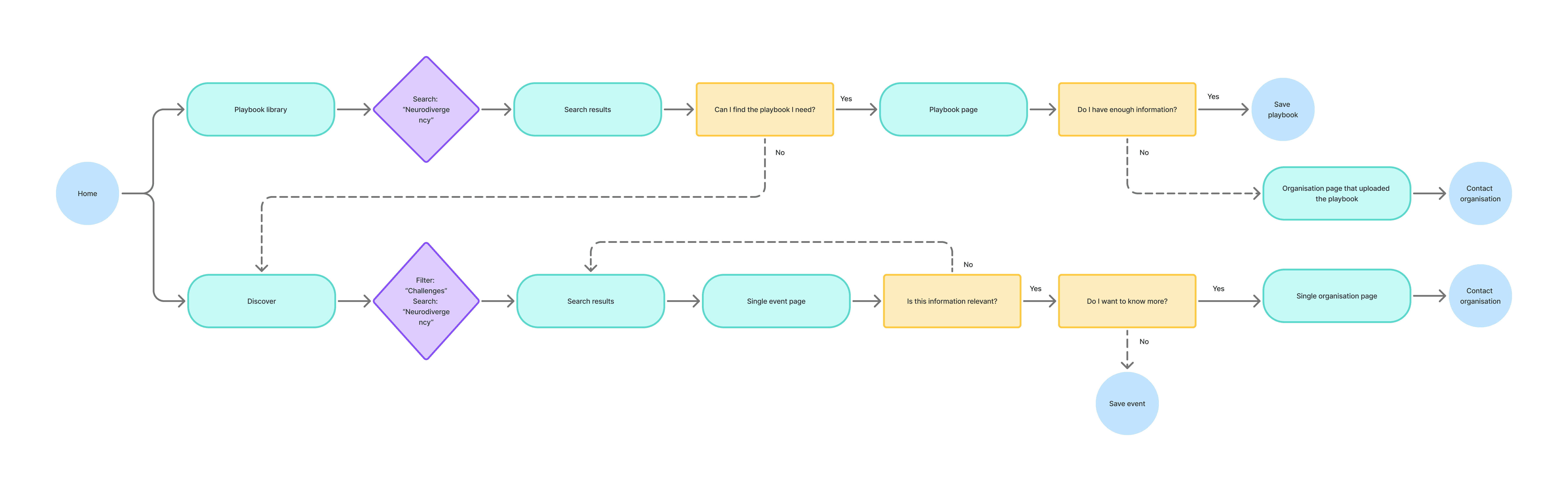
User flow 02: Rose is organising a stop-motion film festival and wants to make her event more accessible for neurodivergent visitors.
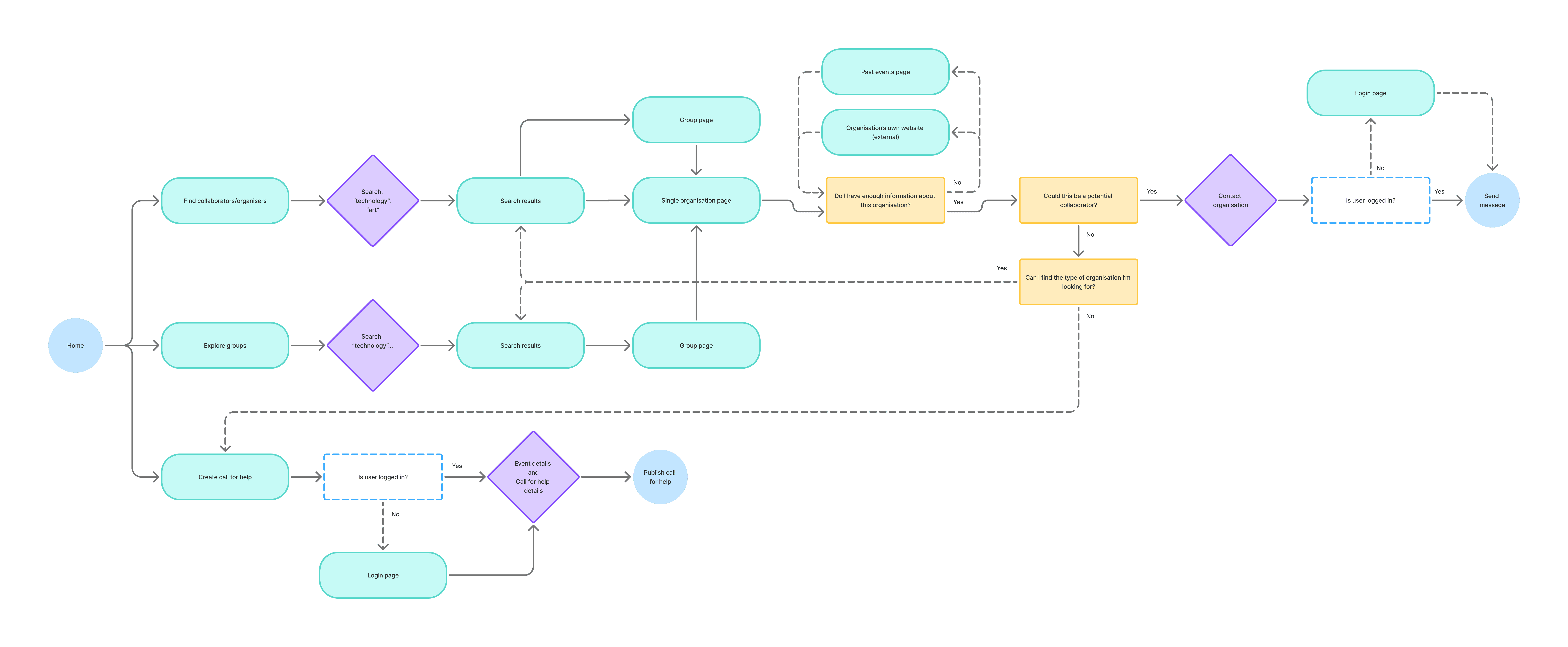
User flow 03: Manu is organising a technology-meets-art festival and is looking for curators to help with the program.
Wireframes
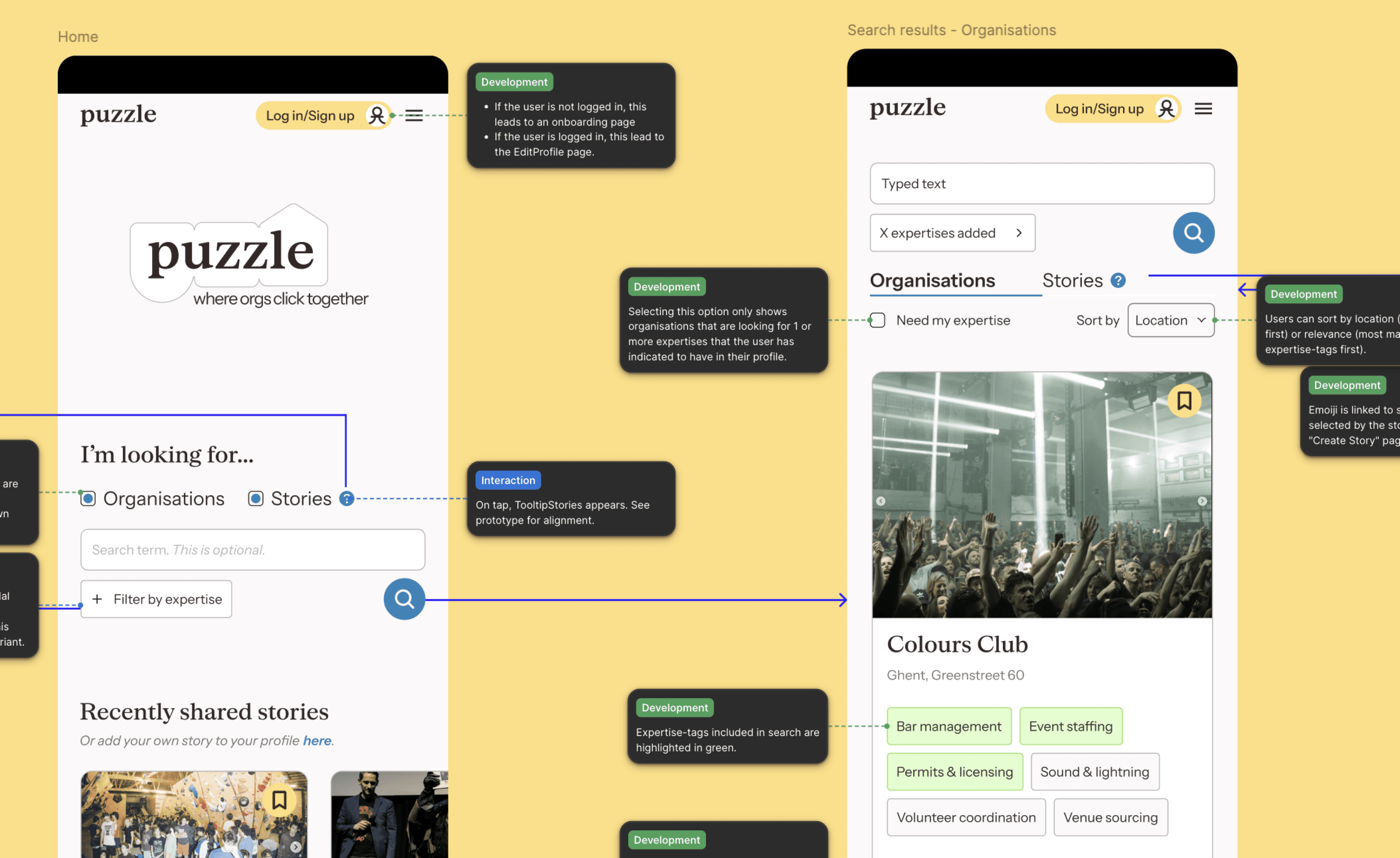
Home & search
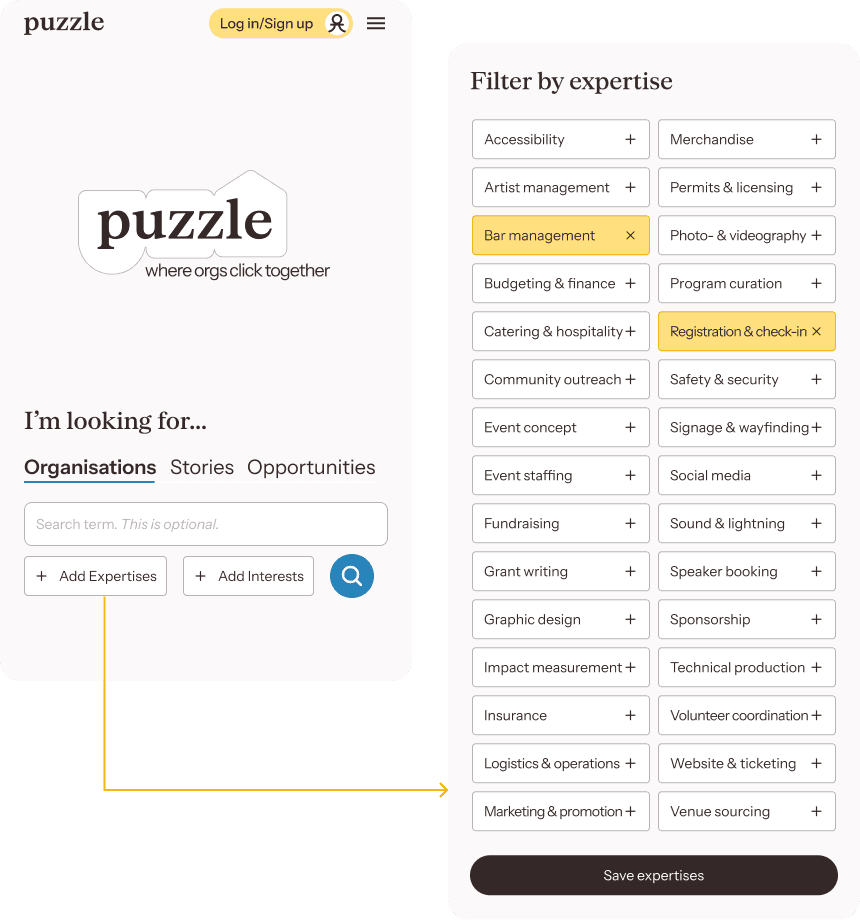
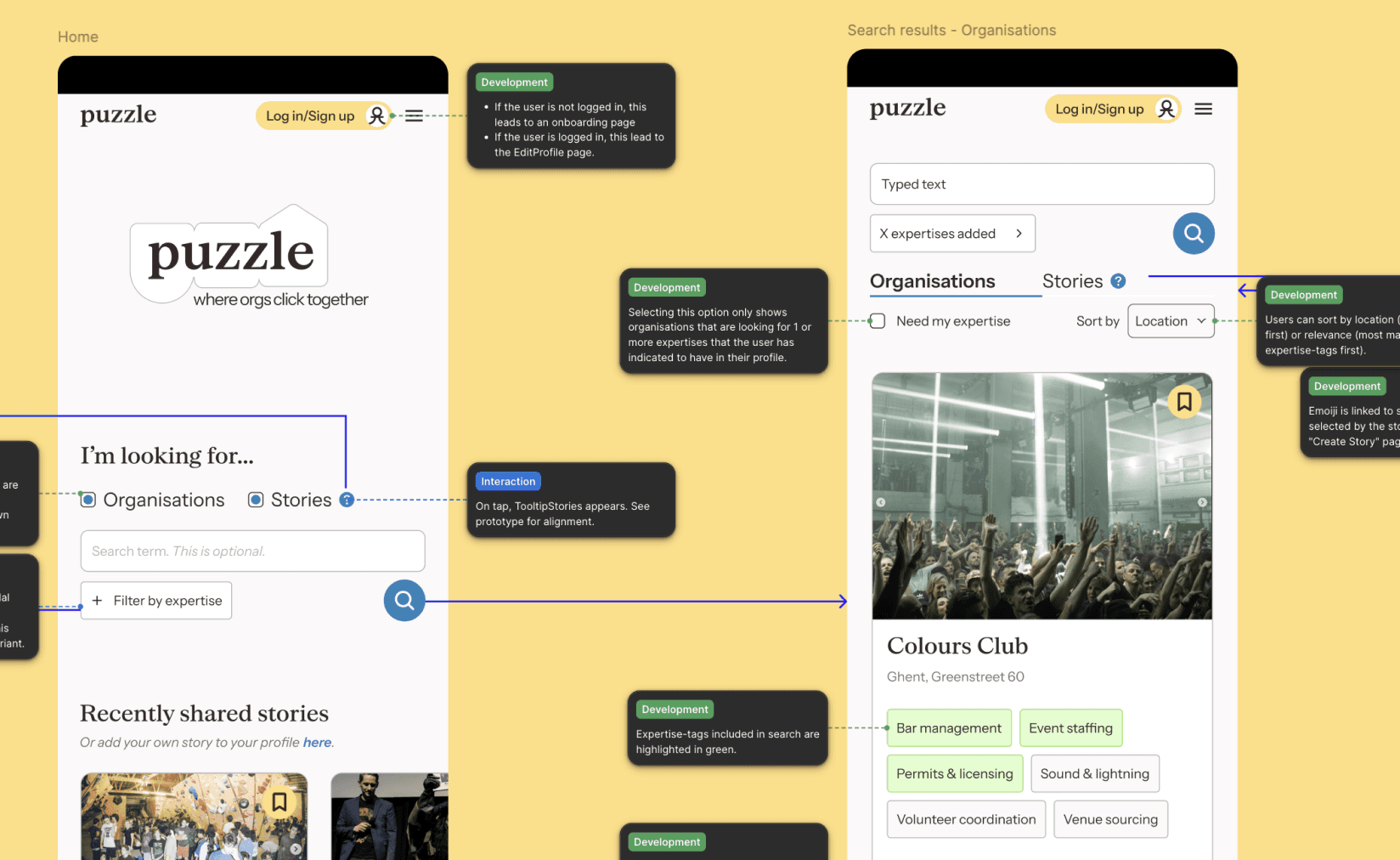
Finding collaborators relies on two criteria: using tags, you indicate interests (that should overlap) and expertises (that shouldn’t overlap).
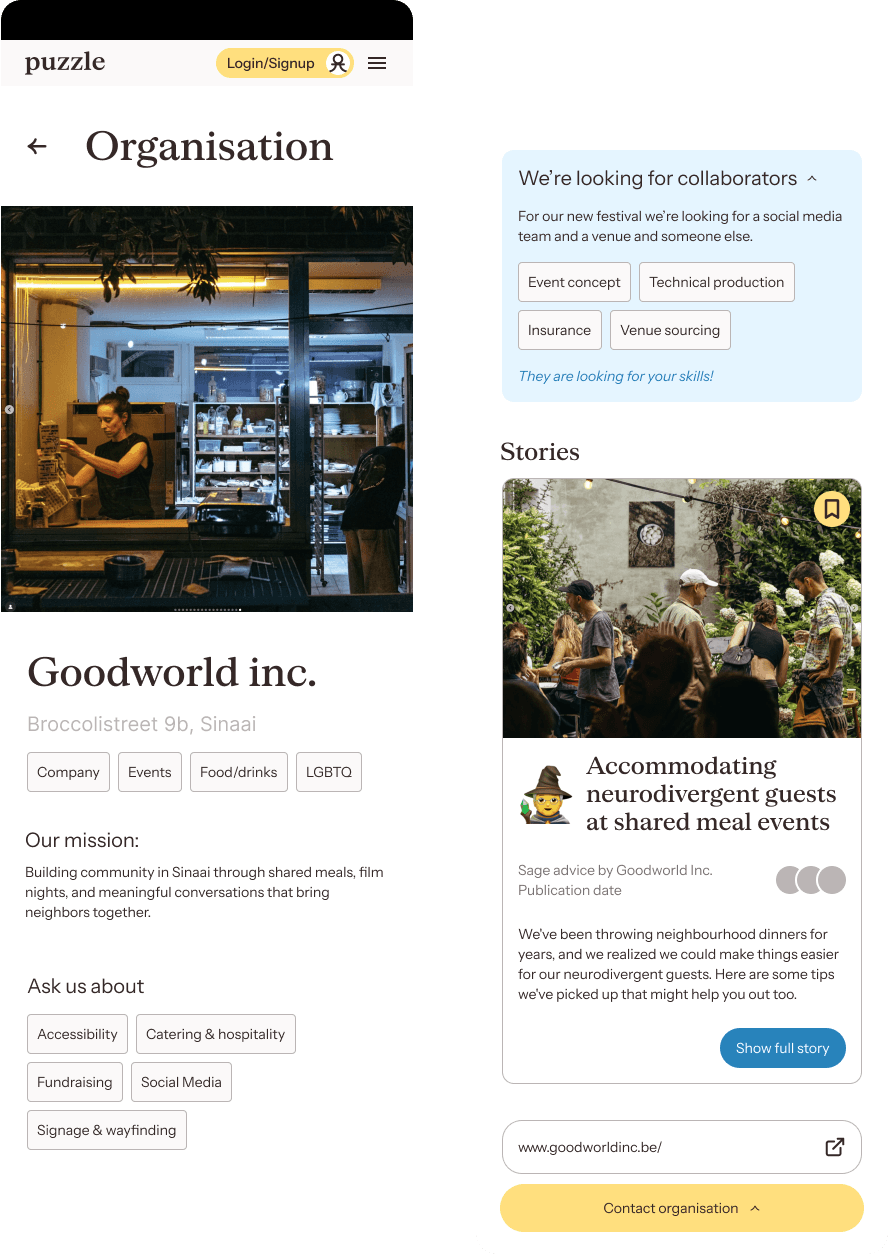
Organisation profiles
Listing expertises can make profile pages look like a job-platform. To avoid this, the lay-out is instead inspired by the casual profiles on dating-apps like Bumble: organisations present themselves using prompts and anecdotes (stories).
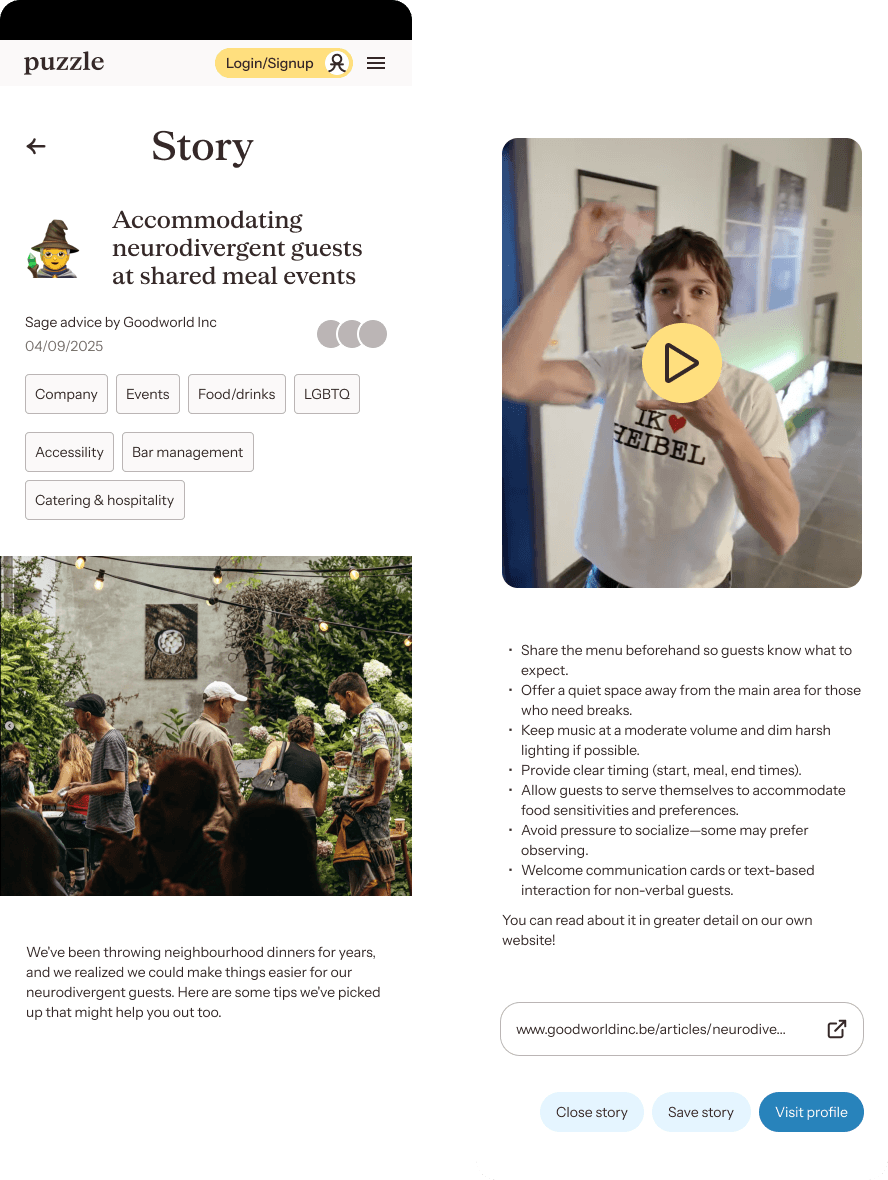
Stories
These stories can range from event reports, playbooks, sage advice, a flex, an overwon challenge or a favourite moment. They use the same expertise- and interests-tags and support video, images and external links.
Evaluative research
Usability tests
I tested whether users could effectively assess like-mindedness from the profile page, and whether the platform felt appropriately casual and engaging for the volunteer context.
I created 3 prototypes in Figma based on key task flows and ran moderated usability tests over video calls with new participants. I also brought back the original 5 interview participants to discuss feature effectiveness and gauge their interest in actually using the product.
The usability tests revealed the following learnings.
Search usability
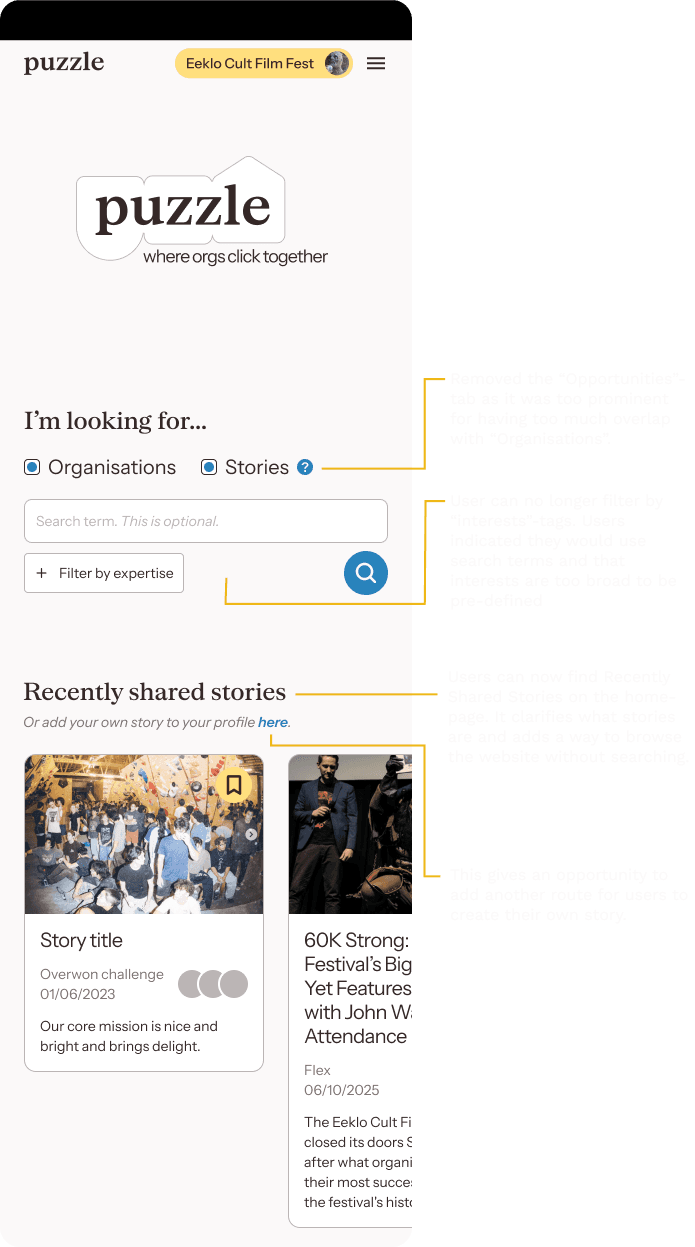
Users prefer searching by keyword first, only applying filters when results are overwhelming. This renders "Interests" tags unnecessary.
“Organisations” and “Opportunities” had too much overlap to be so prominent on the home page, adding unnecessary complexity to the Search module.
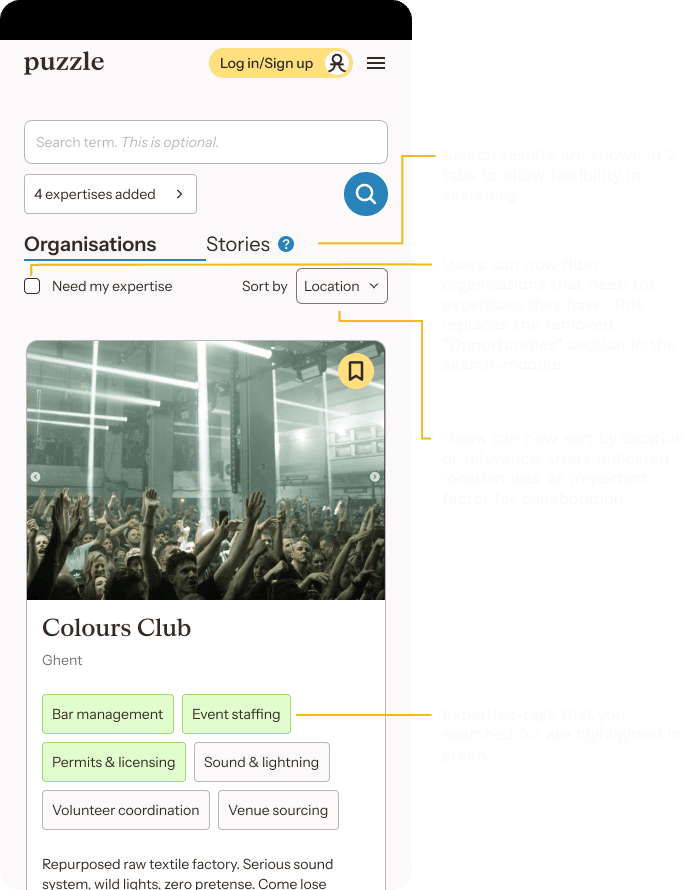
Users need flexibility when browsing search results. They want to explore freely and move quickly between different organisations and stories. A diverse range of results is essential.
Profiles
Users feel they have adequate tools to accurately represent their organisation
The profile structure and casual platform tone resonate well with users.
Stories
Stories are universally perceived as a great way to share information while Stories are universally perceived as a great way to share information while also revealing an organisation’s character
Details
Home & search
Search results
Conclusion
The platform show promise. All users grasp the core concepts and indicated they would use the platform if it would exist. They indicated that the usefulness of the platform is dependant on the amount of users.
Branding
From the interviews I learned that the work is done in the organisers’ spare time, and it’s meant to make new connections.
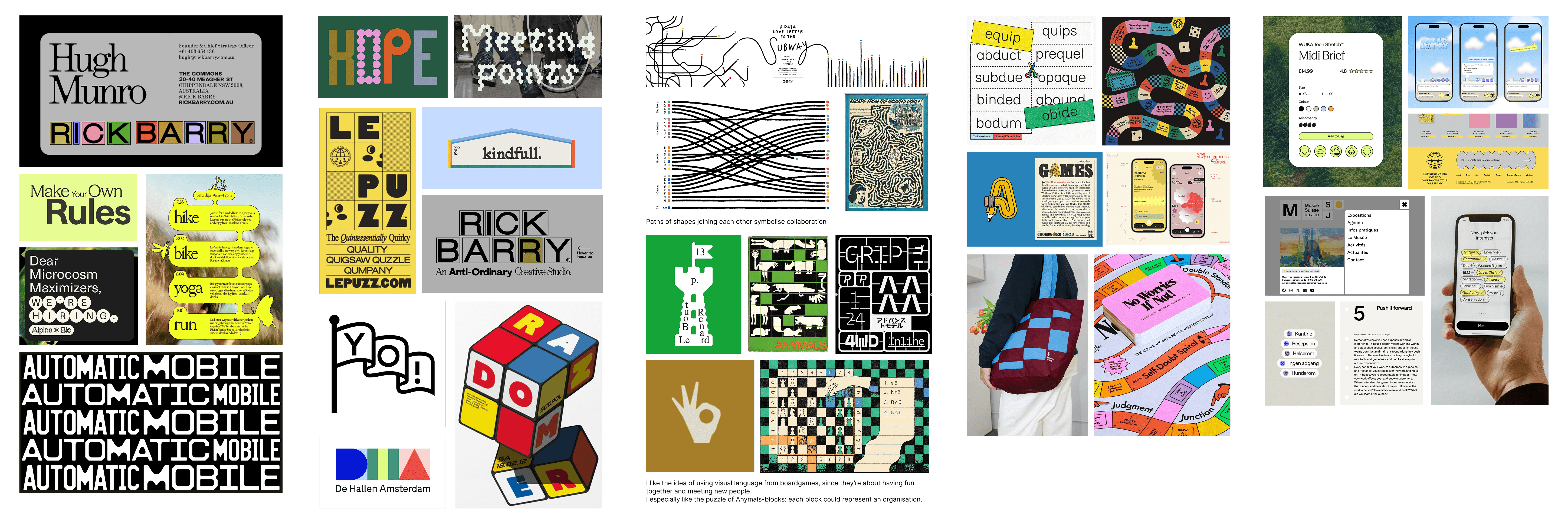
When it came to branding, I drew inspiration from board games, which share that same spirit of casual fun and community building during leisure hours.
Moodboard
Logo
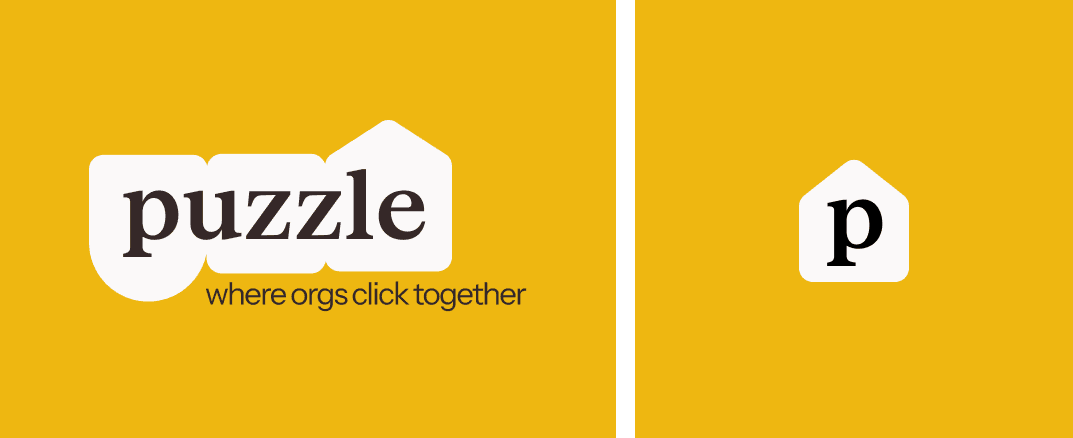
introducing Puzzle, a platform that brings non-profit event organizers together with complementary organisations, venues, and support agencies. Like pieces of a puzzle, each partner fills a unique role, fitting together to create something greater. The logo builds on this playful, board game idea, featuring interlocking shapes that suggest building blocks connecting.
A serif font nods to vintage board game packaging, while a button-like border and Instrument Sans typeface bring the identity into the digital realm.
Icon set
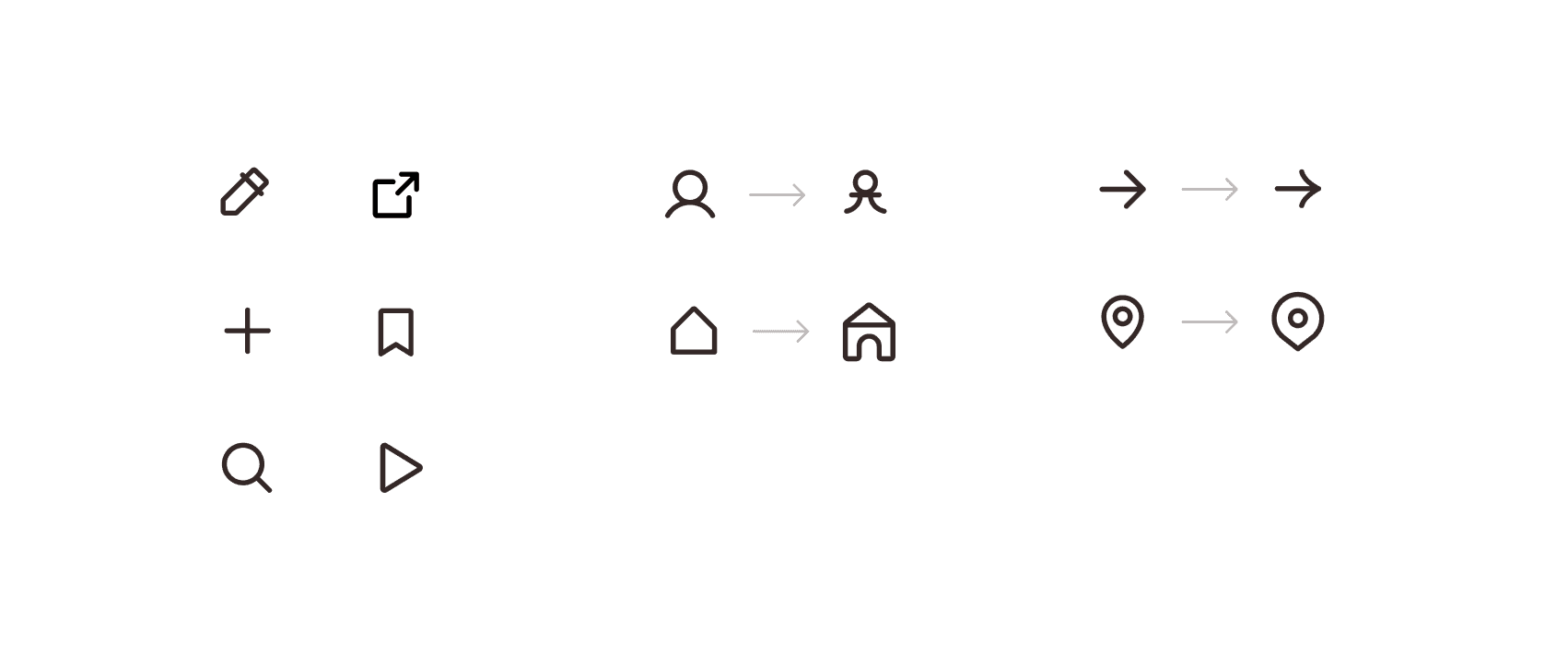
Icons are taken from the Phosporus icon set. I find it slightly more playful than other icon sets.
A few were adjusted to match the boardgame and building block aesthetic, such as replacing the user with a pawn and adjusting the home button to a architypical building block house.
Retrospective
What I would do differently
Prototype with more flexible tools Figma's limitation with text input fields created friction during testing. Even though participants knew it was a prototype, they frequently commented on pre-filled text. This might've been distracting. I've since researched AI-powered prototyping tools like Lovable that allow real text input, which would've reflected the real experience more and enabled unmoderated testing.
Integrate AI synthesis tools earlier This was my first time using NotebookLM as a research partner and the results blew me away. I've now adjusted my workflow to incorporate NotebookLM earlier in the process, particularly for synthesising user interviews more efficiently.
Lessons
Users search first, filter later One of the biggest insights from this project was understanding how people navigate large amounts of information. Users prefer to dive in immediately and only apply filters when results become overwhelming. They don't pause to consider all available options upfront—they explore and adjust as they go.
Casual beats corporate for volunteer contexts Hearing directly from organisers about how they want to represent themselves and connect with others confirmed that professional networking platforms weren't the right reference point. Taking cues from dating apps and meetup platforms instead proved much more aligned with the casual, community-driven nature of volunteer work.
Trade-offs
This is designed as an MVP. During research, I've had a few ideas that I would’ve loved to explore more:
Multi-perspective event stories as soft reviews Collaborations don't always go smoothly, but a cold review system could sour the vibe of the platform. I wanted to explore an extension of the stories-feature where multiple organisations write about the same event from their perspectives. Viewers would see complementary angles, each organisation sharing insights from their specialised role. It would be an anecdotal take on the review, without the negativity of star ratings or public complaints.
Event format marketplace Explore ways to help organisers expand proven event concepts into new venues. Museums, schools, and cultural spaces actively seek successful, adaptable programming for workshops and one-day events. This helps non-profits generate funding and reach new audiences while filling a real need for venues. The transactional nature also presents a monetization opportunity for the platform.
d-(^_^)z
Designed in Figma, built in Framer.
3D models made with Polycam. Based in Ghent.